The essential Chrome extension for GTM professionals.
Work faster, smarter, and error-free.
Instantly spot failed tags, exceptions, and issues with visual indicators. Never miss a broken tag again.
Learn more βFind tags, triggers, and variables in seconds with powerful search functionality built right into GTM.
Learn more βSee tag IDs at a glance without clicking through. Streamline your debugging and documentation.
Learn more βAdd context to your GA4 data with annotations directly from GTM. Track deployments and changes effortlessly.
Learn more βNever forget to check on published versions. Set custom reminders with email notifications.
Learn more βQuickly copy container IDs with a single click. Perfect for documentation and reporting.
Learn more βOrganize tag parameters in a logical order for easier reading and maintenance.
Learn more βDeclutter your workspace by hiding built-in variables you don't use. Focus on what matters.
Learn more βAdvanced filtering for tags, triggers, and variables. Find exactly what you need, when you need it.
Learn more βInstantly spot failed tags, exceptions, and issues with visual indicators
Visual indicators for failed tags and JavaScript exceptions directly in GTM's preview mode. Errors are highlighted in red, making debugging 80% faster and ensuring you never deploy broken tags to production.
Find tags, triggers, and variables in seconds with powerful search
Real-time search functionality built directly into GTM. Search by name, ID, type, or content across tags, triggers, and variables. Perfect for navigating large containers with 100+ tags without endless scrolling.
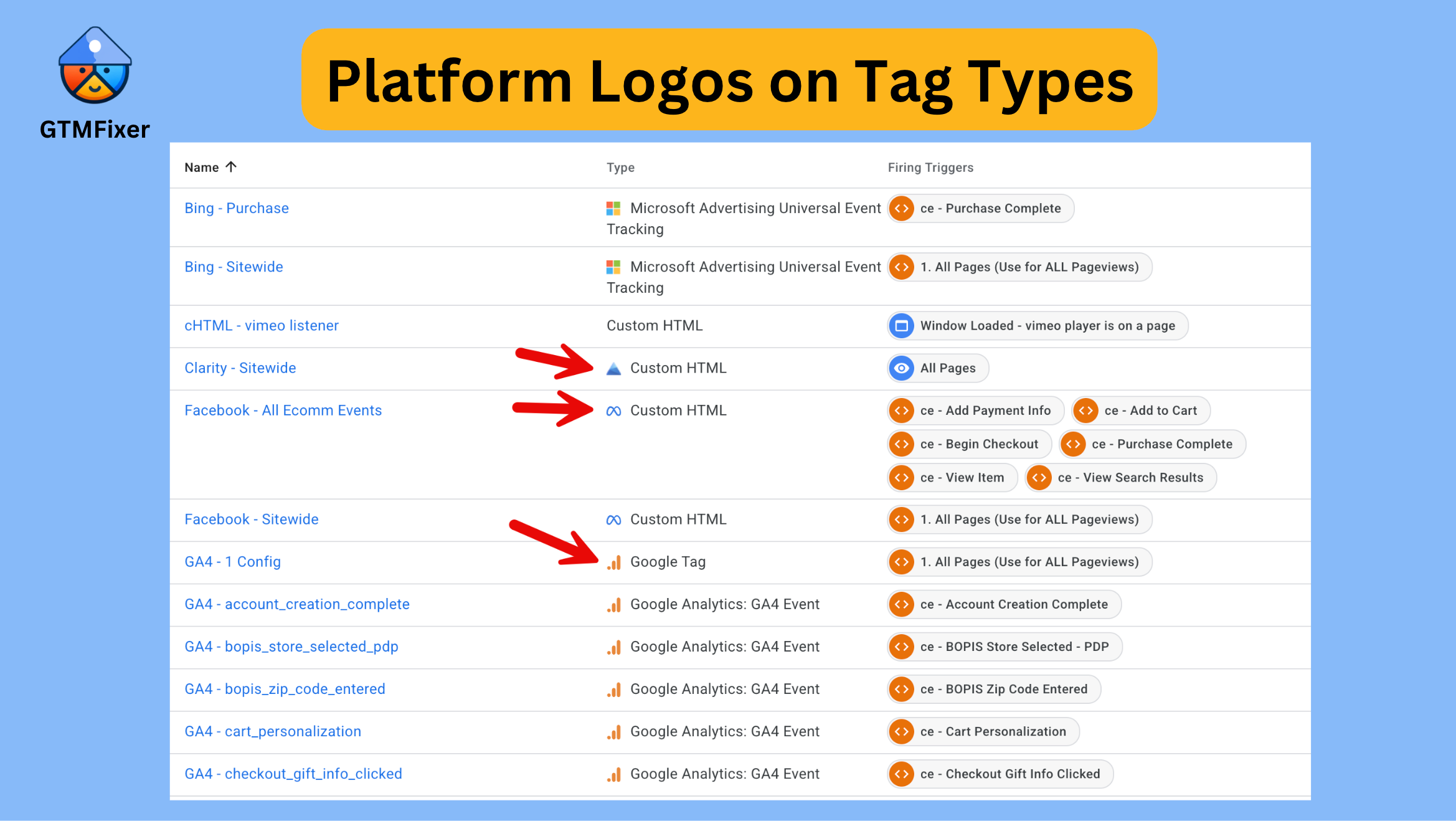
See tag IDs at a glance without clicking through
View tag IDs directly in your GTM interface and automatically add them as parameters to GA4 events. Trace events from GA4 reports back to specific GTM tags with one-click copy to clipboard for documentation.
Add context to your GA4 data directly from GTM
Automatically create annotations in GA4 when you publish GTM versions. Track deployments with custom colors and descriptions across multiple properties, making it easy to correlate data changes with GTM updates.
Never forget to check on published versions with email notifications
Set custom reminders for published GTM versions with email and browser notifications. Add notes about what to check, snooze reminders if needed, and track all pending QA tasks in one place. Perfect for weekend deployments and long-term tracking.
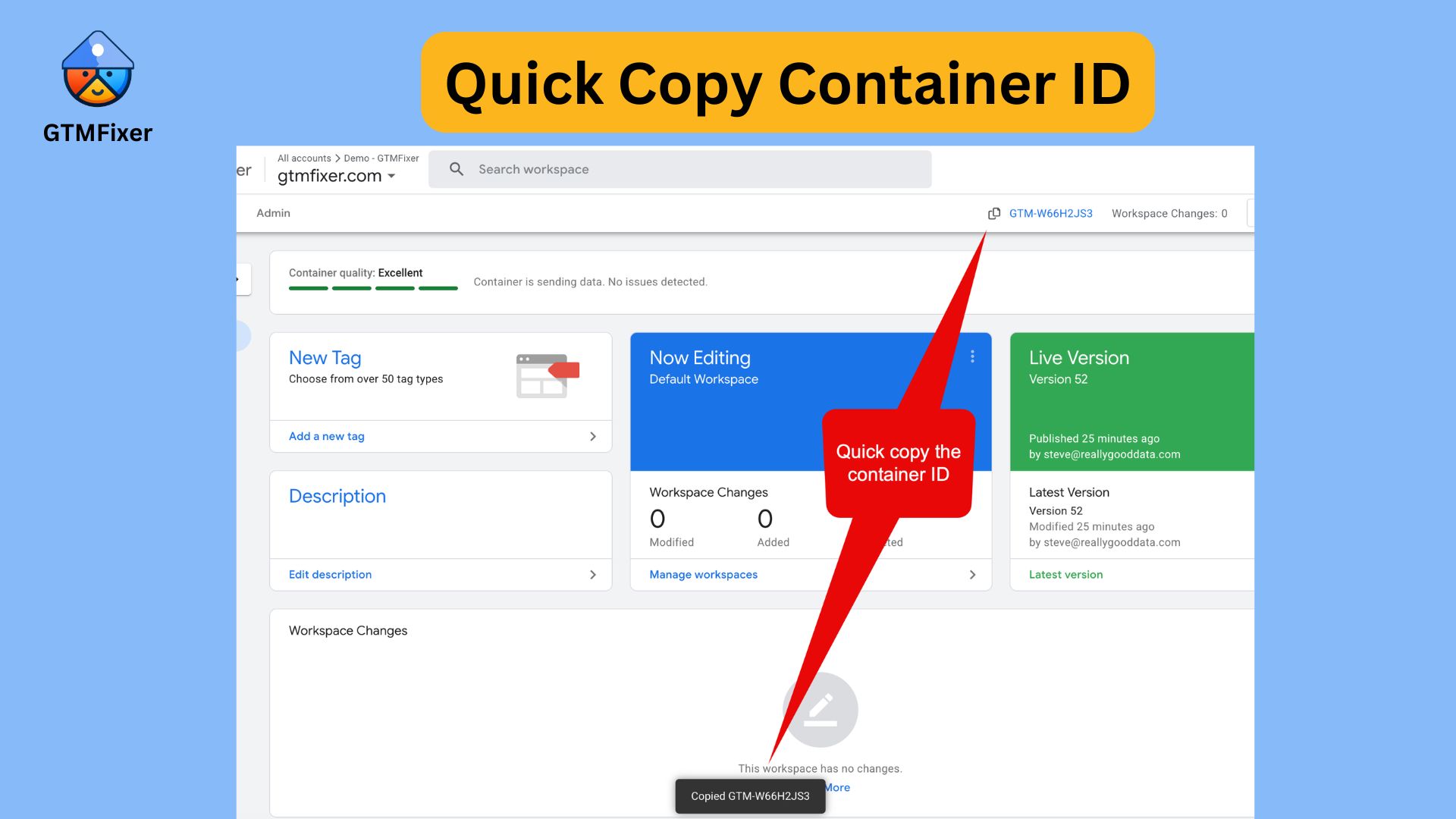
Quickly copy container IDs with a single click
One-click copy button next to your GTM container ID. No more manual selectionβperfect for documentation, code snippets, and client communication.
Organize tag parameters in a logical order
Automatically reorder tag parameters in a consistent, logical sequence. Makes tags easier to read, reduces configuration errors, and improves team collaboration.
Declutter your workspace by hiding unused built-in variables
Collapse the built-in variables section by default for a cleaner workspace. Focus on your custom variables with less scrolling while keeping built-ins accessible when needed.
Advanced filtering for tags, triggers, and variables
Filter tags, triggers, and variables by type, status, and custom criteria. Multi-criteria filtering helps you find exactly what you need instantly in large containers.
Add GTM Fixer to Chrome with a single click from the Chrome Web Store.
Navigate to your Google Tag Manager account as you normally would.
All features are automatically enabled. Configure preferences from the extension popup.
Eliminate repetitive tasks and navigate GTM faster with smart shortcuts and visual enhancements.
Visual error highlighting means you'll spot issues before they impact your data collection.
Advanced filtering, search, and organization tools keep your containers clean and manageable.
QA reminders with email notifications ensure you always check on deployed versions.
All features run locally in your browser. Your data never leaves your machine.
No subscriptions, no hidden costs, no premium tiers. All features, free forever.
Join hundreds of GTM professionals who work smarter with GTM Fixer
Install GTM Fixer Now