Supercharge Google Tag Manager with GTM Fixer

The essential Chrome extension for GTM professionals.
Work faster, smarter, and error-free.

Add to Chrome - It's Free
Free Forever β€’ No Sign-up Required β€’ Works Instantly
10+ Powerful Features
⚑ Instant Setup
5β˜… Chrome Web Store

NEWTag Type Logos

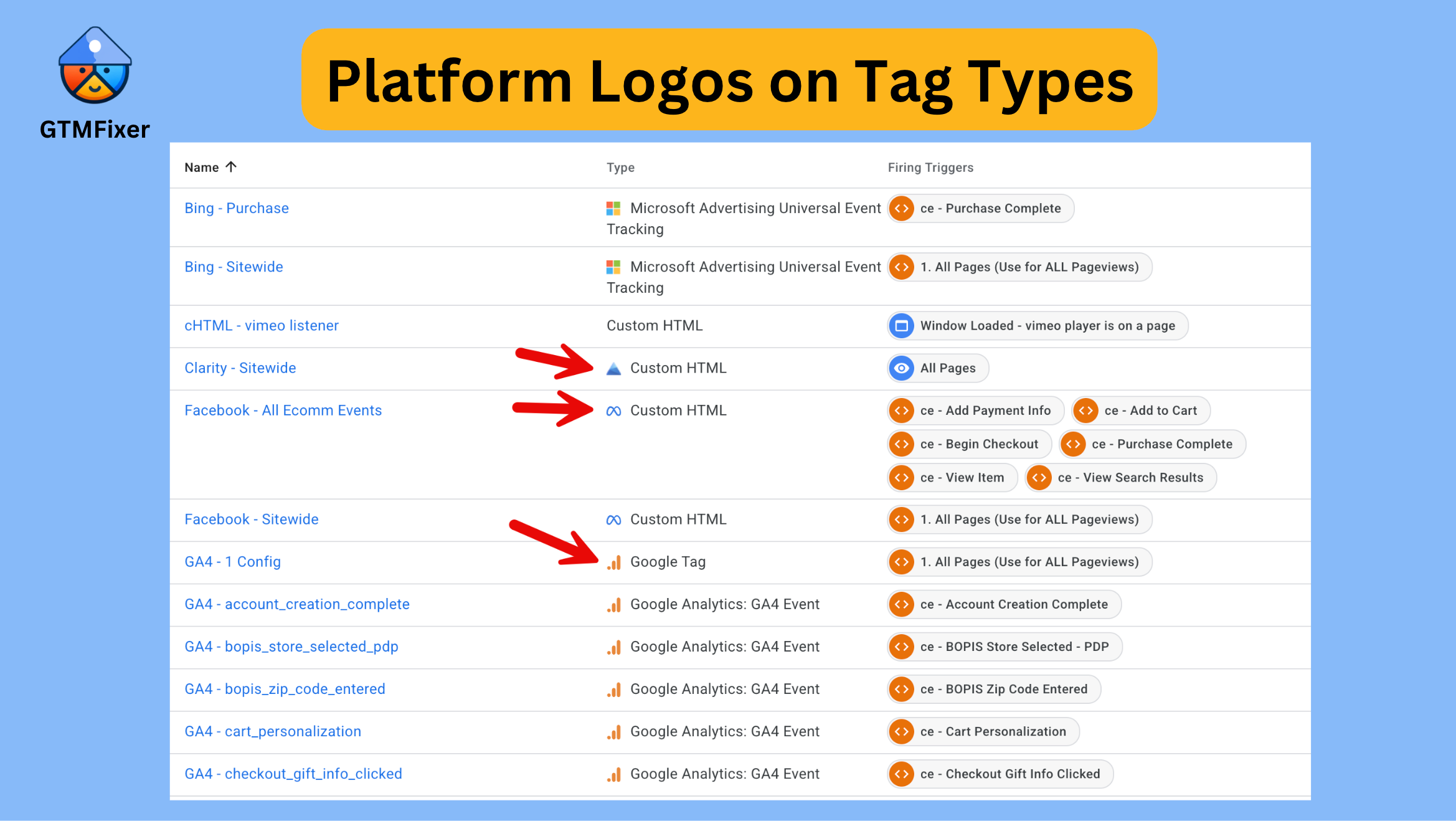
Instantly recognise platforms with logos next to every tag type

Platform logos

GTM Fixer automatically adds the platform logo next to each tag type in your tags list β€” Google Analytics, Google Ads, Meta, TikTok, HubSpot, and 35+ more. Spot tags by platform in an instant without reading the type label, making large containers much faster to scan. For Google Tag types, the logo is further refined by looking at the tag name so you see the correct Google Ads or GA4 icon rather than a generic one.

Variable Quick Edit

Edit variables quickly from any tag.

When a tag parameter field contains a GTM variable reference like {{My Variable}}, a pencil icon appears. Click it to open the variable editor directly β€” no more hunting through the variable list. If multiple variables are referenced in one field, a dropdown lets you pick which one to edit.

GA4 Annotations

Automatically add annotations to GA4 when publishing GTM

Automatically create annotations in GA4 when you publish GTM versions. Track deployments with custom colors and descriptions across multiple properties, making it easy to correlate data changes with GTM updates.

QA Reminders

Never forget to check on published versions with email notifications

Set custom reminders for published GTM versions with email and browser notifications. Add notes about what to check, snooze reminders if needed, and track all pending QA tasks in one place. Perfect for weekend deployments and long-term tracking.

Tag Error Highlighting

Instantly spot failed tags, exceptions, and issues with visual indicators in Preview mode

Visual indicators for failed tags and JavaScript exceptions directly in GTM's preview mode. Errors are highlighted in red, making debugging 80% faster and ensuring you never deploy broken tags to production.

Advanced Search Boxes

Find tags, triggers, and variables in seconds with powerful search

Real-time search functionality built directly into GTM. Search by name, ID, type, or content across tags, triggers, and variables. Perfect for navigating large containers with 100+ tags without endless scrolling.

Tag ID Display

See tag IDs at a glance without clicking through

View tag IDs directly in your GTM interface and automatically add them as parameters to GA4 events. Trace events from GA4 reports back to specific GTM tags with one-click copy to clipboard for documentation.

Smart Filtering

Advanced filtering for tags, triggers, and variables

Filter tags, triggers, and variables by type, status, and custom criteria. Multi-criteria filtering helps you find exactly what you need instantly in large containers.

Copy Container ID

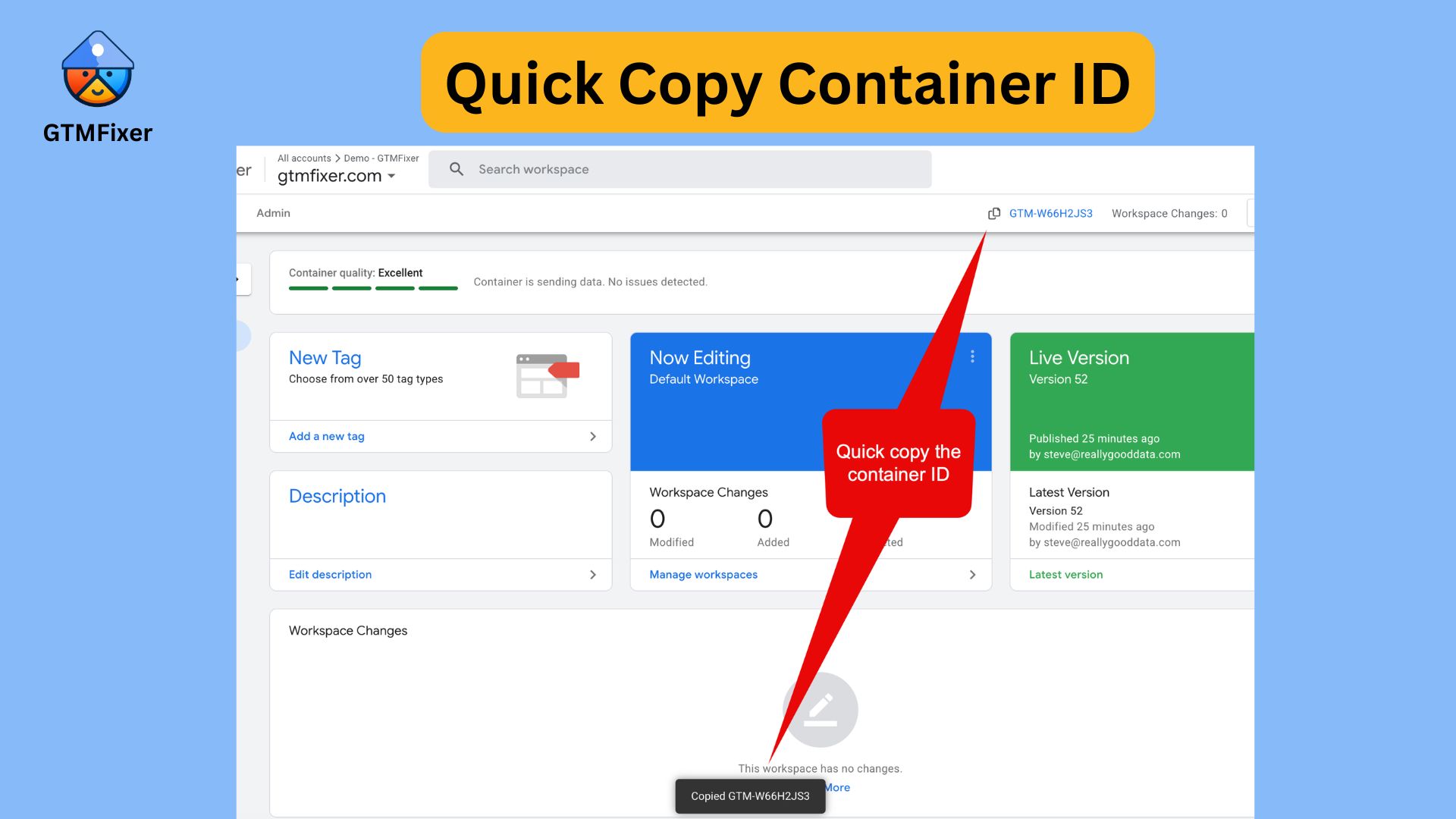
Quickly copy container IDs with a single click

Copy Container ID

One-click copy button next to your GTM container ID. No more manual selectionβ€”perfect for documentation, code snippets, and client communication.

Hide Built-in Variables

Declutter your workspace by hiding unused built-in variables

Collapse the built-in variables section by default for a cleaner workspace. Focus on your custom variables with less scrolling while keeping built-ins accessible when needed.

Hide Container Quality Warning

Remove the distracting container quality banner from GTM

πŸ“Έ

Coming Soon

Hides the container quality warning message on the GTM overview page so it no longer distracts from your workflow. The underlying container data is unaffected β€” the banner is simply hidden.

Get Started in 3 Simple Steps

1

Install Extension

Add GTM Fixer to Chrome with a single click from the Chrome Web Store.

2

Open GTM

Navigate to your Google Tag Manager account as you normally would.

3

Start Working

All features are automatically enabled. Configure preferences from the extension popup.

Why GTM Professionals Love GTM Fixer

βœ“

Save Hours Every Week

Eliminate repetitive tasks and navigate GTM faster with smart shortcuts and visual enhancements.

βœ“

Catch Errors Instantly

Visual error highlighting means you'll spot issues before they impact your data collection.

βœ“

Stay Organized

Advanced filtering, search, and organization tools keep your containers clean and manageable.

βœ“

Never Miss Follow-ups

QA reminders with email notifications ensure you always check on deployed versions.

βœ“

100% Privacy Focused

All features run locally in your browser. Your data never leaves your machine.

βœ“

Always Free

No subscriptions, no hidden costs, no premium tiers. All features, free forever.

Ready to Transform Your GTM Workflow?

Join hundreds of GTM professionals who work smarter with GTM Fixer

Install GTM Fixer Now